Have you noticed your blog’s organic traffic slowly drying up? Maybe you were getting a steady stream of visitors from Google, ranking for dozens of keywords, and then, without warning, it all started slipping away.
You’re not alone!
Thousands of blogs suffer the same frustrating fate every year.
What’s the silent killer behind this common blogging nightmare?
Keyword Cannibalization.
Most bloggers aren’t even aware it’s happening until it’s too late. But if you want to recover or prevent your organic traffic from tanking, this is one issue you must understand and fix.
What is Keyword Cannibalization?
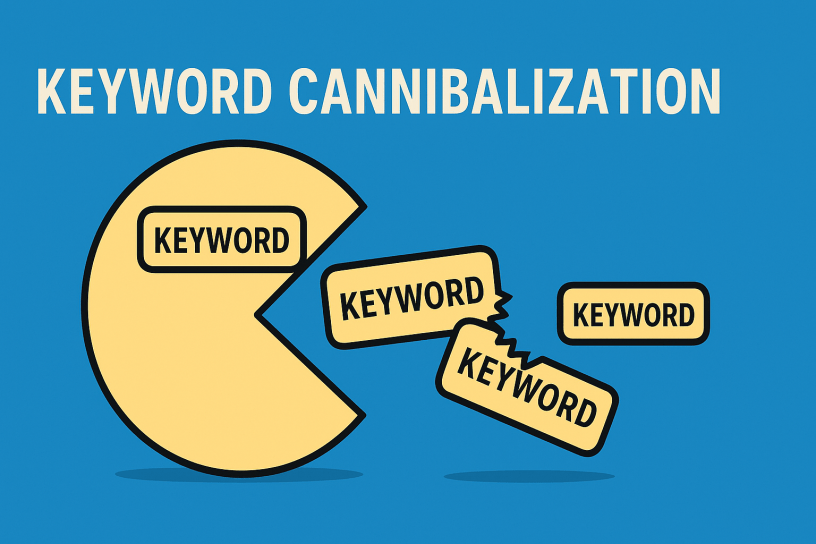
Keyword cannibalization happens when multiple pages on your website compete for the same or very similar keywords. Instead of one strong, relevant page ranking high in Google search results, you end up with several weaker pages splitting authority, confusing search engines, and hurting your overall rankings.
Example:
Let’s say you run a blog about fitness, and you have multiple posts that try to rank for “best leg workouts”:
- “10 Best Leg Workouts for Strength”
- “The Best Home Leg Workouts Without Equipment”
- “Ultimate Guide to the Best Leg Day Routine”
All of these target similar variations of the same keyword. Google can’t easily tell which one is the most relevant. So instead of ranking one post highly, it may rank none of them well, or worse, keep switching them around, which causes unstable traffic.
Why Keyword Cannibalization Destroys Organic Traffic
Keyword cannibalization will seriously damage your blog’s SEO. This happens because of several reasons:
Diluted Authority
Instead of channeling all backlinks, engagement, and keyword relevance to one authoritative page, you scatter it across multiple pages. This weakens your chances of ranking well. It is a very common extra mistake to see bloggers buy backlinks because they think that they are needed as the traffic drops and the links are spread over these cannibalized pages. This can only hurt your site more.
Confused Search Intent
Google wants to show the best possible result for a user’s search. If your site offers multiple competing options, it gets confused about which one to promote, and may choose neither. Even if it chooses one, it will rank it much lower than it could if there was just one clear page for a given keyword. And you will not get clicks.
Internal Competition
Your own pages end up battling each other instead of boosting each other. The result? Lower rankings across the board.
Wasted Crawl Budget
If you’re a large blog, having duplicate or similar pages can use up valuable crawl resources that could be spent indexing more important content.
Signs You’re Suffering from Keyword Cannibalization
There are some clear signs that your blog is affected. As soon as you see these, it is time to take action:
- Fluctuating rankings for the same keyword across multiple URLs
- Lower overall traffic despite publishing more content
- Multiple pages ranking on page 2 or lower for similar keywords
- A drop in impressions and clicks in Google Search Console for key queries
How to Identify Keyword Cannibalization
Ok. Now that we are aware of how bad this is, how do we make sure we are affected? You can do this:
- Google Site Search – Use site:yourdomain.com “target keyword” to see how many pages Google is ranking for the same term.
- Google Search Console – Look under the “Performance” report. Check if multiple pages are appearing for the same keyword with poor click-through rates or fluctuating positions.
- SEO Tools – Tools like Ahrefs or SEMrush can help you audit your site for overlapping keywords and content.
How to Fix and Prevent Keyword Cannibalization
Please keep in mind that it is always a lot better when you prevent keyword cannibalization than fixing it after it happened. That is why you should audit your website/blog right now. Here is what you do to fix the problem.
1. Merge and Consolidate Content
If you have several similar posts targeting the same keyword, consider merging them into one comprehensive, high-quality article. Use 301 redirects from the old URLs to the new one to preserve link equity.
2. Differentiate Search Intent
Make sure each page targets a unique variation or angle of the keyword with distinct intent. For example, one page could focus on beginner leg workouts, and another on advanced routines.
3. Use Internal Linking Strategically
Link related but non-competing pages to your main target page using keyword-rich anchor text. This helps Google understand the hierarchy and importance of each page.
4. Set Canonical Tags
If you have similar pages you must keep (e.g., product variants), use canonical tags to indicate the preferred version to search engines.
5. Update and Optimize Existing Content
Sometimes the problem isn’t quantity but quality. If multiple pages are thin or outdated, update them or consolidate them into stronger, more authoritative resources. This option is often preferred.
6. Create a Content Map or Keyword Strategy
Plan your content with a clear keyword strategy to ensure each post targets a unique set of search terms. Avoid overlapping topics without a specific angle or audience in mind.
Final Thoughts: Clean Up and Climb Back
Keyword cannibalization is one of the most common and devastating issues affecting blogs, especially those that have been around for a few years and have grown organically without a solid SEO strategy in place.
The good news? It’s entirely fixable.
By auditing your content, consolidating similar pages, and developing a clear keyword strategy going forward, you can stop sabotaging your own success and reclaim your lost traffic. Your blog doesn’t need more content, it needs smarter content.
So if your blog traffic has dipped, don’t panic. Roll up your sleeves, dig into your site structure, and start eliminating keyword cannibalization before it eats away at your blog any further.
Discover more from Adrian Cruce's Blog
Subscribe to get the latest posts sent to your email.
 Adrian Cruce's Blog