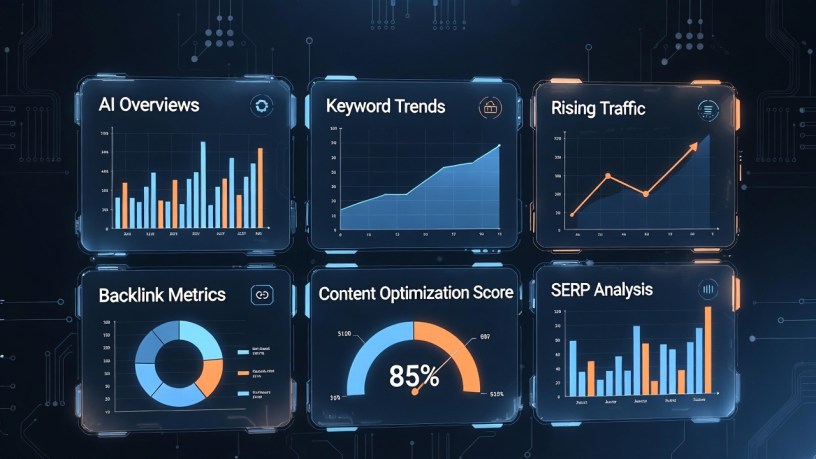
Master Search Engine Optimization from Scratch
Updated for 2026 with the Latest Google Algorithm Changes
Search engine optimization remains one of the most powerful digital marketing strategies available. Despite the rise of social media, AI chatbots, and other discovery channels, search engines continue to drive billions of website visits daily. Understanding how to optimize your website for search engines isn’t just a nice-to-have skill—it’s essential for anyone who wants to build an online presence, grow a business, or create content that reaches its intended audience.
This guide is designed for complete beginners. Whether you’re a small business owner, blogger, marketer, or simply curious about how websites appear in Google search results, you’ll learn everything you need to know to start improving your website’s visibility. We’ll cover fundamental concepts, technical implementation, content strategy, and the latest best practices that work in 2026.
What Has Changed in SEO (2024-2026)
The SEO landscape evolves constantly, and 2024-2026 brought significant changes that every beginner should understand:
- AI-powered search results and AI Overviews now appear for many queries, changing how users interact with search results
- Google’s helpful content system emphasizes genuine expertise and experience over keyword-stuffed content
- Core Web Vitals and page experience remain critical ranking factors with stricter thresholds
- E-E-A-T (Experience, Expertise, Authoritativeness, Trustworthiness) has become more important than ever
- Voice search and conversational queries continue growing, requiring natural language optimization
- Local SEO has become more sophisticated with enhanced Google Business Profile features
- Mobile-first indexing is now universal—Google exclusively uses the mobile version of content for ranking
Despite these changes, the fundamentals remain the same: create valuable content, build a technically sound website, and earn authority through quality backlinks. This guide will show you how.
Chapter 1: SEO Fundamentals – Understanding How Search Engines Work
What is SEO?
Search Engine Optimization (SEO) is the practice of improving your website to increase its visibility when people search for products, services, or information related to your business in search engines like Google, Bing, and others. The better visibility your pages have in search results, the more likely you are to attract attention and potential customers.
SEO encompasses both technical and creative elements required to improve rankings, drive traffic, and increase awareness. There are many aspects to SEO, from the words on your page to the way other sites link to you on the web, and sometimes SEO is simply a matter of making sure your site is structured in a way that search engines understand.
How Search Engines Work
Understanding how search engines operate helps you optimize effectively. The process involves three main steps:
1. Crawling
Search engines use automated programs called crawlers, spiders, or bots to discover content on the web. These bots start with known web pages and follow links on those pages to find new ones. Google’s main crawler is called Googlebot. It continuously browses the web, following links from page to page and collecting information about each page it visits.
Crawlers can’t access every page. Password-protected pages, pages not linked from anywhere, and pages blocked by robots.txt files remain invisible to search engines. Making sure your important content is crawlable is a fundamental SEO requirement.
2. Indexing
After crawling a page, search engines process and store the information in a massive database called an index. During indexing, the search engine analyzes the page’s content, images, video files, and other elements to understand what the page is about.
The index is like a giant library where search engines keep all the web pages they’ve discovered. When someone searches, the search engine retrieves relevant pages from this index rather than crawling the entire web in real-time, which would be impossibly slow.
3. Ranking
When someone performs a search, the search engine’s algorithm analyzes all relevant pages in its index and determines the order in which to display them. This ranking process considers hundreds of factors, including the query’s intent, page relevance, content quality, user experience, and many others.
Google’s algorithm is particularly sophisticated, using machine learning and artificial intelligence to understand query intent and deliver the most relevant results. The algorithm constantly evolves to improve result quality and combat manipulation.
The Three Pillars of SEO
Modern SEO rests on three fundamental pillars. Success requires attention to all three areas:
Technical SEO
Technical SEO involves optimizing your website’s infrastructure to help search engines crawl, index, and understand your content efficiently. This includes:
- Website speed and performance optimization
- Mobile-friendliness and responsive design
- Secure HTTPS protocol
- XML sitemaps and robots.txt configuration
- Structured data markup (schema)
- Proper URL structure
- Fixing broken links and crawl errors
- Core Web Vitals optimization
Technical SEO creates the foundation. Without proper technical implementation, even the best content struggles to rank.
On-Page SEO
On-page SEO focuses on optimizing individual pages to rank higher and earn more relevant traffic. This involves optimizing both the content and the HTML source code of a page. Key elements include:
- Keyword research and targeting
- High-quality, comprehensive content creation
- Title tags and meta descriptions
- Header tags (H1, H2, H3, etc.)
- Internal linking structure
- Image optimization with alt text
- URL optimization
- Content freshness and updates
On-page SEO is where you have the most direct control. Every page you create offers an opportunity to optimize for search engines while serving users.
Off-Page SEO
Off-page SEO refers to actions taken outside your own website to impact your rankings. The most important off-page factor is backlinks—links from other websites pointing to yours. Search engines view backlinks as votes of confidence. However, not all links are equal; quality matters more than quantity.
Off-page SEO also includes:
- Building high-quality backlinks from authoritative websites
- Brand mentions and citations
- Social media presence and engagement
- Guest posting and content partnerships
- Online reviews and reputation management
- Local business listings and directories
Off-page SEO is typically the most challenging aspect because it depends on others’ actions. Building authority takes time and consistent effort.
Key SEO Terminology Every Beginner Should Know
Before diving deeper, familiarize yourself with these essential SEO terms:
- SERP (Search Engine Results Page): The page of results that appears after you enter a search query. Understanding SERP features helps you optimize for visibility.
- Organic Results: The unpaid listings on a SERP that appear because of their relevance to the search query. These are what SEO aims to improve.
- Keywords: Words and phrases that users type into search engines. Identifying the right keywords to target is fundamental to SEO success.
- Backlinks: Links from external websites pointing to your site. They act as endorsements and are one of the most important ranking factors.
- Domain Authority: A metric predicting how well a website will rank on search engines. Higher authority generally leads to better rankings.
- Anchor Text: The clickable text in a hyperlink. Using descriptive anchor text helps search engines understand linked content.
- Bounce Rate: The percentage of visitors who leave your site after viewing only one page. High bounce rates may indicate poor content or user experience.
- Crawl Budget: The number of pages search engines will crawl on your site within a given timeframe. Optimizing crawl budget ensures important pages get indexed.
- Index: The database where search engines store all the web pages they’ve discovered and analyzed.
Chapter 2: Keyword Research – Finding What Your Audience Searches For
Keyword research is the foundation of effective SEO. It involves discovering the specific words and phrases your target audience uses when searching for information, products, or services related to your business. Without proper keyword research, you’re essentially creating content in the dark, hoping it reaches the right people.
Why Keyword Research Matters
Keyword research serves multiple critical purposes:
- Helps you understand your audience’s language and search behavior
- Reveals what topics and questions your audience cares about
- Identifies opportunities where you can rank and attract traffic
- Guides content creation by showing you what to write about
- Uncovers competitive gaps and opportunities
- Informs your overall content strategy and site structure
Think of keyword research as market research for SEO. It tells you what people actually want, not what you think they want. This insight is invaluable for creating content that resonates and ranks.
Types of Keywords
Keywords come in different varieties, each serving different purposes in your SEO strategy:
Short-Tail Keywords (Head Terms)
These are broad, general keywords typically consisting of one or two words. Examples: “shoes”, “digital marketing”, “coffee maker”. Short-tail keywords have very high search volume but also high competition and ambiguous intent. A search for “shoes” could mean running shoes, dress shoes, or information about shoe care.
While short-tail keywords attract lots of traffic, they’re difficult to rank for, especially for new websites. They also tend to have lower conversion rates because the searcher’s intent isn’t specific.
Long-Tail Keywords
Long-tail keywords are longer, more specific phrases containing three or more words. Examples: “best running shoes for flat feet”, “digital marketing strategies for small business”, “quiet coffee maker for apartment”.
Long-tail keywords have lower search volume individually, but collectively they account for the majority of searches. They’re easier to rank for, have clearer intent, and typically convert better because they match specific user needs. For beginners, long-tail keywords offer the best opportunity to gain traction.
LSI Keywords (Latent Semantic Indexing)
LSI keywords are conceptually related terms that search engines use to deeply understand content. For a page about “apple pie”, LSI keywords might include “recipe”, “baking”, “cinnamon”, “crust”, and “dessert”. These terms signal to search engines that your content comprehensively covers the topic.
Modern search engines are sophisticated enough to understand context and related concepts. Including LSI keywords naturally in your content helps search engines understand your topic and can improve rankings.
Understanding Search Intent
Search intent, also called user intent, refers to the goal someone has when entering a search query. Understanding intent is crucial because Google prioritizes results that match what searchers actually want. There are four main types of search intent:
Informational Intent
The user wants to learn something or find information. Examples: “how to tie a tie”, “what is SEO”, “symptoms of flu”. These searches typically begin with who, what, where, when, why, or how. Content that satisfies informational intent includes guides, tutorials, definitions, and educational articles.
Navigational Intent
The user wants to find a specific website or page. Examples: “Facebook login”, “Amazon”, “New York Times”. These searchers know where they want to go and use the search engine as a navigation tool. Optimizing for navigational intent mainly matters for brand terms.
Transactional Intent
The user wants to complete an action or purchase. Examples: “buy iPhone 15”, “download Photoshop”, “book hotel in Paris”. These searches often include action words like buy, purchase, download, order, or subscribe. Product pages, pricing pages, and purchase-focused landing pages should target transactional keywords.
Commercial Investigation Intent
The user is researching before making a purchase decision. Examples: “best laptops for students”, “iPhone vs Samsung comparison”, “Nike shoes review”. These searchers are in the consideration phase and value comparison content, reviews, and buying guides.
Matching your content to search intent is critical. If someone searches “best running shoes” (commercial investigation), they don’t want to land on a product page (transactional). They want a comparison or review article. Google recognizes this and ranks content accordingly.
How to Find Keywords
Finding the right keywords requires using multiple sources and methods:
Google Autocomplete
Start typing a query into Google’s search box and notice the suggestions that appear. These are real searches people make frequently. Autocomplete provides instant keyword ideas and reveals how people phrase their queries. Try starting with your main topic and adding different letters or words to discover variations.
Google Related Searches
Scroll to the bottom of any Google search results page to find “Related searches”. These show queries similar to your search, often revealing valuable keyword variations and related topics you might not have considered.
People Also Ask Boxes
Google’s “People Also Ask” boxes show common questions related to your search query. These questions are actual user queries and represent excellent opportunities for creating content that directly answers what people want to know.
Keyword Research Tools
Professional keyword research tools provide data on search volume, competition, and related terms. Essential tools include:
- Google Keyword Planner (free) – Provides search volume data and keyword ideas, primarily designed for Google Ads but useful for SEO
- Ahrefs Keywords Explorer (paid) – Comprehensive keyword data including difficulty scores, click metrics, and SERP analysis
- SEMrush (paid) – Offers keyword research, competitive analysis, and SERP features
- Ubersuggest (freemium) – Neil Patel’s tool provides keyword suggestions, search volume, and competition data
- AnswerThePublic (freemium) – Visualizes questions and phrases people search for around your topic
Competitor Analysis
Analyzing what keywords your competitors rank for reveals opportunities. Tools like Ahrefs and SEMrush let you enter a competitor’s domain and see their top-ranking keywords. Look for keywords where competitors rank well but you don’t—these represent gaps in your content strategy.
Internal Site Search
If your website has a search function, analyze what visitors search for on your site. This data reveals what information your audience wants but might not be finding, highlighting content opportunities.
Evaluating Keywords
Not all keywords deserve your attention. Evaluate potential keywords based on these factors:
Search Volume
Search volume indicates how many people search for a keyword monthly. Higher volume means more potential traffic, but also typically more competition. For beginners, targeting keywords with 100-1,000 monthly searches often provides the best balance of opportunity and achievability.
Keyword Difficulty
Keyword difficulty (KD) scores estimate how hard it would be to rank in the top 10 for a keyword. Most tools use a 0-100 scale, with higher numbers indicating greater difficulty. As a beginner, focus on keywords with lower difficulty scores (typically under 30-40) where you have a realistic chance of ranking.
Relevance
A keyword might have great volume and low difficulty, but if it’s not relevant to your business or content, it won’t drive valuable traffic. Always prioritize relevance over metrics. Ask yourself: if someone searching this keyword lands on my page, will they find what they’re looking for?
Traffic Potential
Some keywords have high search volume but low click-through rates because Google answers the query directly in the SERP (like “what time is it”). Analyze the SERP to understand how many clicks successful rankings actually generate. Some tools provide estimated traffic data based on position.
Creating a Keyword Strategy
Once you’ve identified potential keywords, organize them into a coherent strategy:
- Group keywords by topic – Cluster related keywords together to create comprehensive content
- Map keywords to existing pages – Assign specific keywords to pages that already exist
- Identify content gaps – Find keyword opportunities where you don’t have content yet
- Prioritize based on business value – Not all traffic is equal; prioritize keywords that attract your ideal customers
- Create a content calendar – Plan when you’ll create content targeting each keyword cluster
- Balance intent types – Include a mix of informational, commercial, and transactional content
A well-organized keyword strategy guides your entire content creation process and ensures you’re not targeting the same keywords repeatedly or missing important opportunities.
Chapter 3: On-Page SEO – Optimizing Your Content
On-page SEO encompasses all optimization you can control directly on your web pages. While off-page factors like backlinks matter, on-page optimization is where you have complete control and where beginners should focus their initial efforts.
Title Tags
The title tag is one of the most important on-page SEO elements. It appears in three key places: browser tabs, search engine results, and social media shares. An optimized title tag can dramatically improve click-through rates.
Title Tag Best Practices
- Keep titles under 60 characters to avoid truncation in search results
- Include your primary keyword near the beginning
- Make titles compelling and click-worthy while accurately describing the page
- Use power words and numbers when appropriate (Best, Ultimate, 10 Ways, etc.)
- Include your brand name, typically at the end
- Make each page’s title unique
- Avoid keyword stuffing or unnatural phrasing
Example of a well-optimized title: “Best Running Shoes for Beginners 2026 | BrandName”. This title includes the primary keyword, indicates freshness with the year, and includes the brand.
Meta Descriptions
Meta descriptions don’t directly impact rankings, but they significantly influence click-through rates. They appear as the snippet of text under your title in search results. While Google sometimes rewrites meta descriptions, providing optimized ones increases the chance they’ll be used.
Meta Description Guidelines
- Keep descriptions between 150-160 characters
- Include your target keyword naturally
- Write compelling copy that encourages clicks
- Accurately summarize the page content
- Include a call to action when appropriate
- Make each description unique
Example: “Discover the 10 best running shoes for beginners in 2026. Our expert-tested guide helps you find comfortable, affordable shoes perfect for new runners. Read reviews and comparisons.”
Header Tags (H1-H6)
Header tags organize your content hierarchically and help search engines understand your page structure. They also improve readability for users, which indirectly benefits SEO through better engagement metrics.
Using Headers Effectively
- Use one H1 tag per page, typically matching or closely related to your title tag
- Include your primary keyword in the H1
- Use H2 tags for main section headings
- Use H3-H6 tags for subsections in a logical hierarchy
- Make headers descriptive and valuable to users
- Don’t skip heading levels (don’t go from H2 to H4)
Headers break up long text blocks and make content easier to scan. Both users and search engines appreciate well-structured content.
Content Quality and Depth
Content quality has become increasingly important as Google’s algorithms have grown more sophisticated. The days of thin, keyword-stuffed content ranking well are long gone. Modern SEO rewards comprehensive, valuable content that truly serves user intent.
Creating High-Quality Content
High-quality SEO content possesses several characteristics:
- Comprehensive coverage of the topic – Answer all related questions a searcher might have
- Original insights or perspectives – Don’t just rehash what everyone else has written
- Clear, engaging writing – Make content enjoyable to read, not just keyword-optimized
- Proper formatting – Use short paragraphs, bullet points, images, and white space
- Actionable information – Give readers something they can use or implement
- Current and accurate – Update content regularly to maintain freshness
- Demonstrates expertise – Show you actually know the topic through specific examples and details
Content Length
While there’s no magic word count for SEO, comprehensive coverage typically requires substantial length. Studies show that longer content tends to rank better, but correlation doesn’t equal causation. The key is thorough topic coverage, not arbitrary word counts.
For most topics, aim for at least 1,500-2,000 words for main pages and pillar content. However, don’t add fluff just to hit a number. Some topics deserve 500 words, others need 5,000. Let the topic and user intent guide your content length.
Keyword Optimization
Once you’ve chosen your target keywords, you need to incorporate them naturally throughout your content. However, modern keyword optimization looks very different from old-school tactics.
Where to Include Keywords
- Title tag (primary keyword)
- H1 heading (primary keyword)
- First 100 words of content
- Throughout the body content naturally
- H2 and H3 subheadings (variations and related terms)
- Image alt text
- URL slug
- Meta description
Keyword Density Myths
Forget about keyword density percentages. Modern SEO focuses on natural, contextual keyword use rather than hitting specific percentages. Google’s algorithms understand topics and context through machine learning. Instead of repeating the exact keyword, use variations and related terms to comprehensively cover the topic.
If you’re writing naturally for humans, you’ll automatically include your keywords and related terms appropriately. If your writing feels awkward or unnatural, you’re probably over-optimizing.
Internal Linking
Internal links connect pages within your website. They help search engines discover content, understand your site structure, and determine which pages are most important. They also help users navigate your site and find related content.
Internal Linking Best Practices
- Link to relevant related content within your articles
- Use descriptive anchor text that indicates what the linked page is about
- Avoid generic anchor text like “click here” or “read more”
- Link deep – don’t only link to your homepage
- Ensure important pages have multiple internal links pointing to them
- Fix broken internal links promptly
- Create a logical linking structure that helps users and search engines navigate
Think of internal links as votes showing which pages on your site are most important. Pages with more internal links receive stronger signals about their importance.
Image Optimization
Images make content more engaging, but they need optimization to benefit SEO. Unoptimized images can slow your site and miss opportunities for image search traffic.
Image SEO Techniques
- Use descriptive file names (running-shoes-beginner.jpg not IMG_1234.jpg)
- Add alt text describing the image for accessibility and SEO
- Include keywords in alt text naturally when relevant
- Compress images to reduce file size without sacrificing quality
- Use modern formats like WebP for better compression
- Implement lazy loading for images below the fold
- Use responsive images that scale for different devices
- Add images to your XML sitemap
Alt text serves two purposes: it helps visually impaired users understand images through screen readers, and it helps search engines understand image content. Write alt text that describes the image accurately and includes keywords when naturally appropriate.
URL Structure
Clean, descriptive URLs benefit both SEO and user experience. A good URL immediately tells users and search engines what the page is about.
URL Optimization Guidelines
- Keep URLs short and descriptive
- Include your target keyword
- Use hyphens to separate words (not underscores)
- Use lowercase letters
- Avoid unnecessary parameters and session IDs
- Create a logical folder structure that reflects site hierarchy
- Avoid changing URLs unnecessarily – implement 301 redirects if you must change them
Example of good URL structure: yoursite.com/blog/beginner-seo-guide (clear, descriptive, includes keyword). Poor URL: yoursite.com/p=123&session=xyz (meaningless numbers and parameters).
Schema Markup (Structured Data)
Schema markup is code you add to your web pages to help search engines understand your content better. It enables rich snippets – enhanced search results that can include ratings, prices, images, and other additional information.
Common Schema Types
- Article schema – For blog posts and news articles
- Product schema – Shows price, availability, and reviews
- Recipe schema – Displays cooking time, ratings, and calories
- FAQ schema – Creates expandable FAQ results
- Local Business schema – Displays address, hours, and contact info
- Review schema – Shows star ratings in search results
- How-to schema – Creates step-by-step instructions in search
While schema doesn’t directly improve rankings, it can significantly increase click-through rates by making your results stand out. Implementing schema markup is more technical but worth learning for competitive advantage.
Chapter 4: Technical SEO Essentials
Technical SEO ensures search engines can crawl, index, and understand your website efficiently. While less visible than content creation, technical optimization creates the foundation that enables all other SEO efforts to succeed.
Website Speed and Core Web Vitals
Page speed has been a ranking factor for years, but in 2021 Google introduced Core Web Vitals as an official ranking signal. These metrics measure user experience based on loading performance, interactivity, and visual stability.
The Three Core Web Vitals
Largest Contentful Paint (LCP): Measures loading performance. Should occur within 2.5 seconds of when the page starts loading. LCP represents when the main content becomes visible to users.
First Input Delay (FID): Measures interactivity. Should be less than 100 milliseconds. FID measures the time from when a user first interacts with your page to when the browser responds.
Cumulative Layout Shift (CLS): Measures visual stability. Should be less than 0.1. CLS measures unexpected layout shifts that cause users to accidentally click the wrong thing.
Improving Website Speed
- Optimize and compress images
- Minimize CSS, JavaScript, and HTML
- Enable browser caching
- Use a Content Delivery Network (CDN)
- Reduce server response time
- Remove render-blocking resources
- Implement lazy loading for images and videos
- Choose quality web hosting
Use Google’s PageSpeed Insights tool to test your site speed and get specific recommendations for improvement. Even small speed improvements can impact both rankings and user experience.
Mobile-Friendliness
Google uses mobile-first indexing, meaning it predominantly uses the mobile version of content for indexing and ranking. With the majority of searches now happening on mobile devices, mobile optimization is non-negotiable.
Mobile SEO Requirements
- Responsive design that adapts to different screen sizes
- Text large enough to read without zooming
- Tap targets (buttons, links) sized appropriately for touch
- No horizontal scrolling required
- Fast loading on mobile connections
- No mobile-specific intrusive interstitials
- Avoid Flash and other unsupported technologies
Test your site’s mobile-friendliness using Google’s Mobile-Friendly Test tool. Common mobile issues include tiny text, elements too close together, and content wider than the screen.
HTTPS and Site Security
HTTPS is a ranking signal and a trust signal for users. Sites using HTTPS encrypt data between the user’s browser and the server, protecting sensitive information. All modern websites should use HTTPS, not just those collecting payments or personal information.
Implementing HTTPS
- Purchase and install an SSL/TLS certificate (many hosts offer free certificates)
- Update all internal links to use HTTPS
- Implement 301 redirects from HTTP to HTTPS versions
- Update resources like images and scripts to load via HTTPS
- Update your XML sitemap with HTTPS URLs
- Update Google Search Console and Analytics to track HTTPS versions
Most web hosts now offer easy one-click HTTPS setup. The security and ranking benefits make this essential for any website.
XML Sitemaps
An XML sitemap lists all important pages on your website, helping search engines discover and crawl them. While not required for crawling, sitemaps ensure search engines know about all your content, especially new pages or those without many internal links.
Sitemap Best Practices
- Include all important pages you want indexed
- Exclude pages you don’t want in search results (admin pages, duplicate content)
- Keep individual sitemaps under 50MB and 50,000 URLs
- Use sitemap index files for large sites
- Submit your sitemap to Google Search Console and Bing Webmaster Tools
- Keep sitemaps updated as you add or remove content
- Include lastmod dates to indicate recent changes
Most content management systems can generate XML sitemaps automatically through plugins or built-in features.
Robots.txt
The robots.txt file tells search engine crawlers which pages or sections of your site to crawl or avoid. It sits in your site’s root directory and provides crawling instructions.
Common Robots.txt Uses
- Blocking crawlers from admin areas
- Preventing crawling of duplicate content
- Saving crawl budget by blocking unimportant sections
- Specifying sitemap location
Be careful with robots.txt – blocking the wrong sections can prevent important content from being indexed. Test changes in Google Search Console before implementing them on your live site.
Canonical Tags
Canonical tags tell search engines which version of a page is the primary one when duplicate or very similar content exists. They prevent duplicate content issues and consolidate ranking signals to the preferred URL.
When to Use Canonical Tags
- Product pages accessible via multiple category URLs
- Content accessible through both www and non-www versions
- Pages with URL parameters or session IDs
- Mobile versions separate from desktop versions
- Printer-friendly page versions
Self-referencing canonical tags (where a page’s canonical points to itself) are also recommended as a best practice to prevent parameter-based duplicates.
Site Architecture and Navigation
How you structure and organize your website impacts both SEO and user experience. Good site architecture helps users find content and helps search engines understand your site’s organization.
Architecture Best Practices
- Create a logical hierarchy with clear categories
- Ensure important pages are no more than 3-4 clicks from the homepage
- Use breadcrumb navigation to show page hierarchy
- Create an HTML sitemap for users
- Implement clear, descriptive navigation menus
- Avoid orphan pages with no links pointing to them
- Use internal linking to distribute authority throughout the site
Think of your site structure as a pyramid: homepage at the top, main categories below, and individual pages at the base. This structure helps search engines understand page importance and relationship.
Chapter 5: Content Strategy for SEO Success
Creating individual optimized pages is important, but sustainable SEO success requires a comprehensive content strategy. This chapter explores how to plan, create, and organize content that builds authority and attracts consistent organic traffic.
Content Types That Rank
Different content formats serve different purposes and search intents. A well-rounded content strategy includes multiple types:
Blog Posts and Articles
Blog content remains the foundation of most SEO strategies. Regular blog posts allow you to target numerous keywords, demonstrate expertise, and provide value to your audience. Effective blog content includes how-to guides, tutorials, thought leadership pieces, and news or industry updates.
Pillar Pages
Pillar pages comprehensively cover broad topics, typically 3,000-5,000+ words. They serve as the central hub for topic clusters, linking out to more specific related content. For example, a pillar page on “Digital Marketing” might link to cluster content about SEO, email marketing, social media, and content marketing.
Topic Clusters
Topic clusters organize related content around pillar pages. Each cluster piece covers a specific aspect of the broader topic in depth. This structure signals topical authority to search engines and creates better user experiences through interconnected relevant content.
Product or Service Pages
For businesses, optimized product or service pages capture high-intent commercial searches. These pages balance SEO optimization with persuasive copy that converts visitors into customers.
Landing Pages
Dedicated landing pages target specific keywords or campaigns. They’re typically more focused than general pages, designed to rank for particular terms and drive specific conversions.
Comparison and Review Content
“Best of” lists, product comparisons, and reviews attract users in the commercial investigation phase. These pages often rank well because they directly match commercial search intent.
The Content Creation Process
Research and Planning
Before writing, invest time in research:
- Analyze top-ranking content for your target keyword
- Identify gaps or opportunities in existing content
- Gather data, examples, and resources to include
- Create a content outline organizing your main points
- Determine the optimal content format and length
Writing for Humans and Search Engines
The best SEO content satisfies both search engines and readers. Start by writing naturally for your audience, then optimize for search engines:
- Address the search intent comprehensively
- Use conversational, accessible language
- Break up text with headings, bullets, and short paragraphs
- Include specific examples and actionable advice
- Add visuals to enhance understanding
- Incorporate keywords naturally without forcing them
Editing and Optimization
After writing your first draft, optimize before publishing:
- Review and improve title tags and meta descriptions
- Optimize headers for both keywords and readability
- Add internal links to relevant related content
- Optimize images with compression and alt text
- Check for spelling and grammar errors
- Ensure proper schema markup implementation
- Verify mobile-friendliness and page speed
Content Freshness and Updates
Google values fresh, current content. For time-sensitive topics, regularly updating content can maintain or improve rankings. This doesn’t mean every page needs constant updates, but review your top-performing content periodically.
When to Update Content
- Information has become outdated or inaccurate
- Rankings have declined for important keywords
- New developments in the topic have emerged
- The content no longer matches search intent
- Competitors have published superior content
How to Update Content Effectively
- Refresh statistics and examples with current data
- Add new sections covering recent developments
- Improve existing sections with more depth
- Update images and visuals
- Revise the publication date (when appropriate)
- Expand content length if competitors have longer pieces
- Improve internal linking to and from the page
Updating existing high-performing content often yields better ROI than creating entirely new content.
E-E-A-T: Experience, Expertise, Authoritativeness, Trust
E-E-A-T represents Google’s quality guidelines for evaluating content. While not a direct ranking factor, it influences how quality raters assess search results, which in turn influences algorithm updates.
Demonstrating Experience
Experience shows you’ve actually done what you’re writing about. Include first-hand accounts, specific examples from your work, and details that only someone with practical experience would know. For product reviews, show you’ve actually used the product.
Establishing Expertise
Expertise demonstrates deep knowledge of your topic. Show expertise through:
- Detailed, accurate information that goes beyond surface-level coverage
- Author bio boxes showcasing relevant credentials and experience
- Consistent publishing on related topics over time
- Citations from reputable sources supporting your claims
- Original research, data, or insights
Building Authoritativeness
Authoritativeness means being recognized as a go-to source in your field. Build authority by:
- Earning backlinks from respected industry sites
- Contributing guest posts to authoritative publications
- Being mentioned or quoted by other experts
- Building a strong social media presence in your niche
- Showcasing awards, certifications, or recognition
Establishing Trust
Trust ensures users feel safe and confident using your content. Improve trust through:
- HTTPS security on all pages
- Clear contact information and about pages
- Transparent disclosure of affiliations and sponsorships
- Professional design and error-free content
- Privacy policy and terms of service
- Positive reviews and testimonials
- Regular content updates showing site maintenance
For YMYL (Your Money Your Life) topics affecting health, finances, or safety, E-E-A-T is especially critical. Google scrutinizes these topics more heavily because incorrect information could harm users.
Chapter 6: Link Building Fundamentals
Link building – earning backlinks from other websites to yours – remains one of the most powerful SEO strategies. While Google’s algorithm considers hundreds of factors, high-quality backlinks remain among the most influential. This chapter covers how to earn valuable links ethically and effectively.
Why Links Matter
Backlinks serve as votes of confidence. When a reputable website links to yours, it signals to search engines that your content has value. However, not all links are created equal. A single link from an authoritative, relevant site can be worth more than hundreds of low-quality links.
How Google Evaluates Links
- Authority of the linking domain – Links from respected sites carry more weight
- Relevance – Links from topically related sites are more valuable
- Anchor text – The clickable text of the link provides context
- Link placement – Links in main content are stronger than footer or sidebar links
- Follow vs. nofollow – Follow links pass authority, nofollow links don’t (but still have value)
- Link velocity – Natural link growth looks better than sudden spikes
White Hat Link Building Strategies
White hat strategies earn links through quality content and relationship building. These methods are sustainable and carry no penalty risk:
Create Linkable Assets
The foundation of link building is creating content people want to link to. Linkable assets include:
- Original research and data
- Comprehensive guides and tutorials
- Free tools or calculators
- Infographics and visual content
- Industry reports and studies
- Expert roundups and interviews
Invest extra effort in creating exceptional content that provides unique value. One linkable asset can earn dozens of natural backlinks.
Guest Posting
Writing articles for other websites in your industry can earn quality backlinks while exposing your brand to new audiences. Effective guest posting requires:
- Targeting relevant, authoritative sites in your niche
- Pitching unique topics their audience would value
- Creating genuinely excellent content, not thin articles
- Including natural, contextual links to your site
- Building relationships with editors and publishers
Focus on quality over quantity. One guest post on a highly relevant, authoritative site beats ten posts on low-quality blogs.
Digital PR and Outreach
Digital PR involves getting your brand, research, or content mentioned in online publications. Successful approaches include:
- Creating newsworthy studies or surveys journalists can reference
- Offering expert commentary on industry developments
- Using platforms like HARO (Help A Reporter Out) to connect with journalists
- Pitching unique story angles to relevant publications
- Building relationships with journalists and bloggers
Broken Link Building
Find broken links on other websites, then suggest your content as a replacement. This helps the site owner fix a problem while earning you a link:
- Find relevant websites in your niche
- Use tools to identify broken outbound links on their site
- Create content that matches or improves upon the broken link destination
- Reach out to the site owner pointing out the broken link
- Suggest your content as a helpful replacement
Resource Page Link Building
Many sites maintain resource pages listing helpful links on specific topics. Find relevant resource pages and request inclusion:
- Search for terms like “topic + resources” or “topic + helpful links”
- Ensure your content genuinely deserves inclusion
- Personalize your outreach explaining why your content fits
- Make adding your link as easy as possible
Link Building Outreach
Successful link building often requires direct outreach. Effective outreach follows these principles:
Personalization
Generic mass emails get ignored. Personalize each outreach message by:
- Addressing the recipient by name
- Referencing specific content from their site
- Explaining why your content specifically fits their audience
- Keeping messages concise and respectful of their time
Value First
Lead with value rather than asking for links immediately. Offer something helpful before requesting anything. This might be pointing out a broken link, sharing their content, or providing useful information.
Follow-Up
Many people miss emails or forget to respond. A polite follow-up after a week or two can significantly improve response rates. Keep follow-ups brief and friendly.
Links to Avoid
Some link building tactics can harm your SEO or result in penalties:
- Buying links or participating in link schemes
- Mass directory submissions to low-quality directories
- Article spinning or low-quality content syndication
- Comment spam on blogs and forums
- Private blog networks (PBNs)
- Excessive link exchanges or reciprocal linking
- Links from completely irrelevant sites
Focus on earning links naturally through quality content and genuine relationships. Shortcuts rarely work long-term and risk serious penalties.
Monitoring Your Backlink Profile
Regularly audit your backlinks to ensure quality and identify opportunities or problems. Use tools like:
- Google Search Console – Shows which sites link to you
- Ahrefs – Comprehensive backlink analysis and monitoring
- SEMrush – Backlink tracking and competitive analysis
- Moz Link Explorer – Domain authority and link metrics
Look for new backlinks, lost links, and potentially harmful links. Disavow obviously spammy links through Google Search Console if necessary.
Chapter 7: Local SEO for Local Businesses
Local SEO helps businesses appear in location-based searches and Google’s local pack—the map results showing nearby businesses. For businesses serving specific geographic areas, local SEO is often more valuable than traditional organic SEO.
Google Business Profile Optimization
Your Google Business Profile (formerly Google My Business) is the cornerstone of local SEO. A well-optimized profile can dramatically improve local visibility:
Profile Completion
- Claim and verify your business listing
- Choose the most specific business categories
- Add a complete business description with keywords
- Include accurate hours, including special hours for holidays
- Add all relevant attributes (wheelchair accessible, outdoor seating, etc.)
- Upload high-quality photos regularly
- List all products and services you offer
Google Posts
Google Business Profile allows regular posts about offers, events, or updates. Post weekly to keep your profile active and engage local customers. Include clear calls-to-action and relevant images.
Reviews Management
Reviews are critical for local SEO and consumer trust:
- Encourage satisfied customers to leave reviews
- Respond to all reviews, both positive and negative
- Keep responses professional and helpful
- Address negative reviews constructively
- Never buy fake reviews or incentivize reviews inappropriately
Higher review quantity and quality correlate strongly with better local rankings. Reviews also influence click-through rates and conversions.
Local Citations
Local citations are online mentions of your business name, address, and phone number (NAP). Consistent citations across the web build local authority and trust.
Citation Building
- Ensure NAP consistency across all listings
- List your business on major data aggregators (Infogroup, Neustar)
- Get listed in relevant industry directories
- Create profiles on major platforms (Yelp, Facebook, Apple Maps)
- Join local business associations and chambers of commerce
- Get listed in local news sites and community resources
NAP Consistency
Use the exact same business name, address, and phone number format everywhere online. Inconsistencies confuse search engines and can hurt rankings. If you move or change phone numbers, update all citations promptly.
Local Content Strategy
Create content targeting local search queries and local audience interests:
- Write about local events and news
- Create neighborhood or city-specific service pages
- Produce local guides and resources
- Feature local customers or case studies
- Sponsor or participate in community events
- Include local keywords naturally in content
Local Link Building
Local backlinks from other businesses and organizations in your area strengthen local SEO:
- Join local business associations
- Sponsor local events, teams, or charities
- Partner with complementary local businesses
- Get featured in local news and publications
- Participate in local directories and resource pages
Multi-Location SEO
Businesses with multiple locations need a strategic approach to local SEO:
- Create dedicated pages for each location
- Include unique content for each location page
- Avoid duplicate content across location pages
- Create separate Google Business Profiles for each location
- Build local citations for each location
- Use location-specific schema markup
Chapter 8: SEO Tools and Analytics
The right tools make SEO management efficient and data-driven. This chapter covers essential SEO tools for beginners, from free options to professional platforms.
Google Search Console
Google Search Console is a free tool providing direct insights into how Google sees your site. Every website owner should use it.
Key Features
- Performance reports showing which queries drive traffic
- Index coverage showing which pages are indexed
- URL inspection tool for troubleshooting individual pages
- Sitemap submission and monitoring
- Mobile usability reports
- Core Web Vitals data
- Manual action notifications
- Links report showing your backlink profile
Check Search Console weekly to monitor traffic trends, discover new ranking keywords, and identify technical issues.
Google Analytics
Google Analytics tracks website traffic and user behavior. While not specifically an SEO tool, the data informs SEO strategy:
- Traffic sources showing where visitors come from
- User behavior showing how visitors navigate your site
- Conversion tracking measuring goal completions
- Audience demographics and interests
- Page performance metrics
- Site speed reports
Connect Google Analytics with Google Search Console for enhanced reporting combining search and behavior data.
All-in-One SEO Platforms
SEMrush
SEMrush offers comprehensive SEO tools including:
- Keyword research with difficulty and volume data
- Competitive analysis showing competitor keywords and strategies
- Backlink analysis and monitoring
- Site audit identifying technical issues
- Position tracking monitoring keyword rankings
- Content optimization recommendations
Ahrefs
Ahrefs specializes in backlink analysis but includes full SEO functionality:
- Industry-leading backlink index
- Keyword research tools
- Content gap analysis
- Rank tracking
- Site audit for technical SEO
- SERP analysis showing ranking factors
Moz Pro
Moz offers user-friendly SEO tools ideal for beginners:
- Keyword explorer with SERP analysis
- Link explorer for backlink research
- Domain authority metrics
- Site crawl identifying technical issues
- Rank tracking
- On-page optimization suggestions
Free and Freemium Tools
Budget-conscious beginners can accomplish a lot with free tools:
- Google Keyword Planner – Keyword research data
- Ubersuggest – Keyword ideas and basic SEO metrics
- AnswerThePublic – Question-based keyword research
- Google PageSpeed Insights – Speed and Core Web Vitals testing
- Screaming Frog SEO Spider – Website crawling (free up to 500 URLs)
- MozBar – Chrome extension showing page metrics
Tracking SEO Performance
Establish metrics and tracking systems to measure SEO success:
Key Metrics to Monitor
- Organic traffic growth over time
- Keyword rankings for target terms
- Backlink quantity and quality
- Pages indexed in search engines
- Click-through rates from search results
- Conversion rates from organic traffic
- Core Web Vitals scores
Creating SEO Reports
Regular reporting keeps you informed about progress and helps justify SEO investments:
- Establish baseline metrics before starting optimization
- Track consistent metrics month-over-month
- Segment organic traffic from other sources
- Identify top-performing content
- Monitor competitor performance
- Document major algorithm updates or site changes
SEO results take time. Focus on long-term trends rather than daily fluctuations.
Chapter 9: Common SEO Mistakes to Avoid
Understanding what not to do is as important as knowing what to do. This chapter covers common SEO mistakes beginners make and how to avoid them.
Keyword Stuffing
Repeatedly cramming keywords into content unnaturally is one of the oldest SEO mistakes. Modern algorithms easily detect keyword stuffing and may penalize it. Write naturally for humans first, incorporating keywords only where they flow naturally.
Ignoring User Intent
Targeting keywords without considering what searchers actually want leads to high bounce rates and poor performance. Always analyze the SERP to understand what type of content ranks, then match that intent with your content.
Duplicate Content
Publishing the same or very similar content across multiple pages dilutes ranking signals and confuses search engines about which version to rank. Use canonical tags to specify preferred versions when duplicate content is unavoidable.
Neglecting Mobile Optimization
With mobile-first indexing, a poor mobile experience directly hurts rankings. Test every page on mobile devices and prioritize mobile user experience in design and development decisions.
Buying Links
Purchasing backlinks violates Google’s guidelines and risks severe penalties. The short-term ranking gains aren’t worth the long-term risk. Focus on earning links naturally through quality content and outreach.
Ignoring Technical SEO
Focusing solely on content while neglecting technical foundations limits success. Site speed, crawlability, mobile-friendliness, and proper indexing are prerequisites for ranking well.
Not Tracking Results
Working blind without analytics means you can’t identify what works or needs improvement. Install Google Analytics and Search Console from day one and review data regularly.
Expecting Instant Results
SEO takes time. New sites typically need 3-6 months to see significant organic traffic. Patience and consistency matter more than trying to game the system for quick wins.
Copying Competitors Exactly
While analyzing competitors provides insights, simply copying their content won’t help you outrank them. Offer unique value, better coverage, or different perspectives to differentiate your content.
Optimizing for Search Engines Over Users
Content that satisfies search engines but frustrates users won’t succeed long-term. Google increasingly rewards content that genuinely helps users. Always prioritize user experience over algorithmic manipulation.
Chapter 10: Advanced SEO Concepts
Once you master the fundamentals, these advanced concepts can give you a competitive edge.
Topic Clusters and Pillar Pages
Topic clusters organize content around central pillar pages comprehensively covering broad topics, with cluster content addressing specific subtopics. This structure demonstrates topical authority and creates strong internal linking.
Building Topic Clusters
- Identify broad topics central to your business
- Create comprehensive pillar pages covering these topics
- Develop cluster content addressing specific aspects of the pillar topic
- Link all cluster pages to the pillar page
- Link between related cluster pages
- Keep content fresh by updating both pillars and clusters
Featured Snippets Optimization
Featured snippets appear above organic results in position zero, providing exceptional visibility. Optimize for snippets by:
- Answering specific questions clearly and concisely
- Using headers formatted as questions
- Providing direct answers in 40-60 words
- Using lists and tables for step-by-step or comparison content
- Structuring content logically with proper header hierarchy
International SEO
Targeting multiple countries or languages requires special considerations:
- Use hreflang tags to specify language and regional targeting
- Choose appropriate URL structure (subdomains, subdirectories, or ccTLDs)
- Translate content properly, not just machine translation
- Consider cultural differences in content and design
- Build local citations and backlinks in each target market
Voice Search Optimization
Voice searches tend to be longer and more conversational than text searches. Optimize for voice by:
- Targeting question-based keywords
- Writing in natural, conversational language
- Creating FAQ pages answering common questions
- Optimizing for local voice searches
- Ensuring fast page speed for mobile devices
E-commerce SEO
E-commerce sites face unique SEO challenges:
- Optimize category pages for broader keywords
- Create detailed, unique product descriptions
- Implement product schema markup
- Handle out-of-stock products appropriately
- Optimize for both informational and transactional queries
- Build internal linking between related products
Conclusion: Your SEO Journey Begins
You now have a comprehensive foundation in SEO. The journey from beginner to expert requires patience, consistent effort, and continuous learning as search engines evolve.
Creating Your SEO Action Plan
Don’t try to implement everything at once. Start with these priorities:
Month 1: Foundation
- Set up Google Search Console and Google Analytics
- Conduct initial keyword research for your niche
- Audit your website for technical issues
- Optimize your most important pages
Month 2-3: Content and On-Page
- Create and publish consistent quality content
- Optimize title tags, meta descriptions, and headers
- Build internal linking structure
- Improve site speed and Core Web Vitals
Month 4-6: Building Authority
- Begin link building outreach
- Create linkable assets
- Build local citations if applicable
- Monitor and analyze results
Staying Current
SEO changes constantly. Stay informed through:
- Google Search Central Blog for official updates
- Industry blogs like Moz, Search Engine Journal, and Search Engine Land
- SEO-focused Twitter accounts and communities
- SEO podcasts and webinars
- Testing and learning from your own results
Final Thoughts
SEO success comes from understanding your audience, creating genuinely valuable content, building a technically sound website, and earning authority through quality backlinks. There are no shortcuts, but the long-term results are worth the investment.
Remember that SEO serves a larger purpose: helping people find the information, products, or services they need. When you focus on serving user needs while following best practices, success follows naturally.
Start small, be consistent, measure your results, and continuously improve. Your SEO journey has just begun, and with the knowledge from this guide, you’re well-equipped to succeed.
Good luck on your SEO journey!
Discover more from Adrian Cruce's Blog
Subscribe to get the latest posts sent to your email.
 Adrian Cruce's Blog