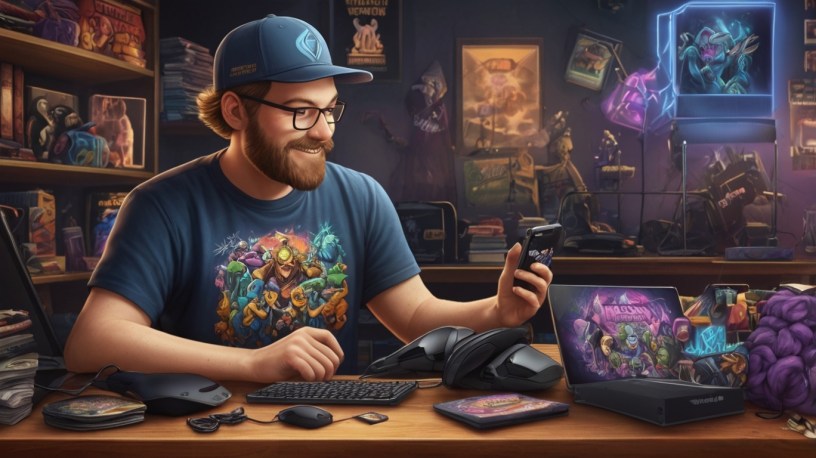
So, you’ve built a community, you’re crushing it on stream, and you’re ready to take things to the next level. What’s the next big step? Merch, baby! Selling merchandise is a fantastic way to connect with your fans, build your brand, and, of course, generate some extra income. But with so many platforms out there, where do you even begin?
Fear not, fellow gamers! This guide will walk you through the best platforms for selling merch as a live streamer, breaking down the pros and cons of each so you can make the right choice for your channel. Whether you’re selling t-shirts, hoodies, mugs, or something totally unique, we’ve got you covered.
Why Sell Merch in the First Place?
Before we dive into the platforms, let’s quickly touch on why selling merch is a smart move for streamers:
- Community Building: Merch creates a tangible connection between you and your viewers. It’s a way for them to show their support and feel like they’re part of something bigger.
- Brand Awareness: Every time someone wears your t-shirt or uses your mug, they’re advertising your brand to the world.
- Revenue Stream: Let’s be honest, streaming can be unpredictable. Merch provides a more stable and consistent source of income.
- Creative Expression: Merch allows you to express your creativity and design items that truly represent your brand and your community.
Now, let’s explore what you ar here for, the best platforms for turning your streaming dreams into a merch empire.
The Top Platforms for Gamer Merch
Here are some of the top platforms for selling merchandise as a live streamer, along with a detailed look at their pros and cons:
1. StreamElements Merch
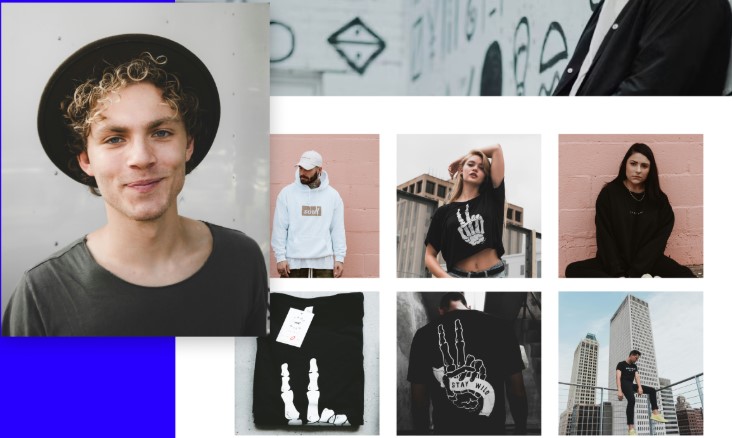
StreamElements is a popular streaming tool that offers a built-in merch solution, which means that integrating your merch store into your streaming setup is easy, especially if you’re already using StreamElements.
- Pros:
- Seamless Integration: Easily integrates with your StreamElements overlays and alerts, making it easy to promote your merch on stream.
- Customizable Storefront: Offers a customizable storefront that allows you to create a branded experience for your viewers.
- Print-on-Demand: Uses a print-on-demand model, meaning you don’t have to worry about inventory or upfront costs.
- Variety of Products: Offers a wide range of products, including apparel, accessories, and home goods.
- Analytics: Provides analytics to track your sales and identify your best-selling products.
- Cons:
- Limited Customization: While the storefront is customizable, it’s not as flexible as some dedicated e-commerce platforms.
- Profit Margins: Print-on-demand services typically have lower profit margins compared to buying and selling your own inventory.
- Dependence on StreamElements: If you decide to switch streaming tools, you’ll have to migrate your merch store to another platform.
Verdict: StreamElements Merch is a great option for streamers who are already using StreamElements and want a simple, integrated merch solution. It’s easy to set up and manage, and the print-on-demand model minimizes risk.
2. Streamlabs Merch
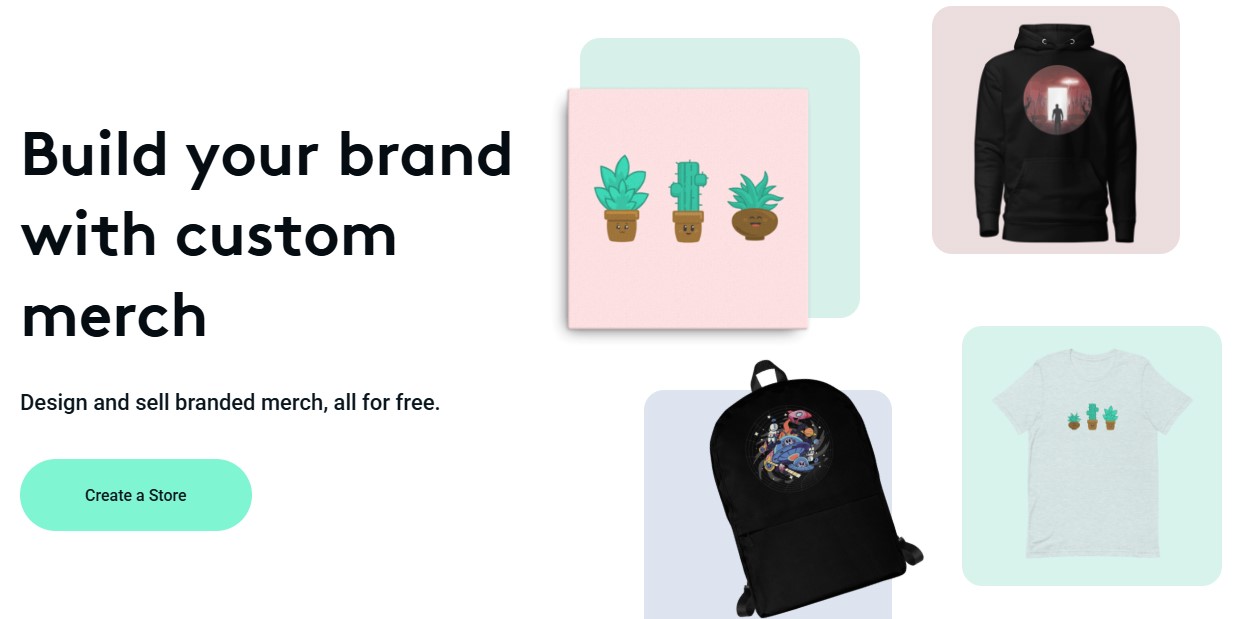
Similar to StreamElements, Streamlabs also offers a built-in merch solution that integrates seamlessly with its streaming tools. This platform is ideal if you’re already embedded in the Streamlabs ecosystem.
- Pros:
- Easy Setup: Simple and straightforward setup process, especially if you’re already using Streamlabs.
- Direct Integration: Integrates directly with Streamlabs overlays and alerts, making it easy to promote your merch during your streams.
- Print-on-Demand: Offers a print-on-demand service, eliminating the need for upfront investment in inventory.
- Customizable Designs: Allows you to create custom designs for a variety of products.
- Mobile App Management: Manage your merch store directly from the Streamlabs mobile app.
- Cons:
- Limited Product Selection: May have a smaller product selection compared to other platforms.
- Profit Margins: Print-on-demand margins can be lower than buying and selling your own inventory.
- Ecosystem Lock-In: You’re tied to the Streamlabs ecosystem, which may not be ideal if you plan to switch streaming tools in the future.
Verdict: Streamlabs Merch is a solid choice for streamers who are heavily invested in the Streamlabs ecosystem. The ease of integration and print-on-demand model make it a convenient option for beginners.
3. Teespring (Spring)

Teespring, now known as Spring, is a popular print-on-demand platform that’s widely used by content creators. It offers a wide range of products, a user-friendly interface, and various marketing tools.
- Pros:
- Wide Product Selection: Offers a vast selection of products, including apparel, accessories, home goods, and even digital downloads.
- Easy-to-Use Design Tool: Provides a simple and intuitive design tool for creating your merch.
- Print-on-Demand: No need to worry about inventory or upfront costs.
- Marketing Tools: Offers various marketing tools, such as email marketing and social media integrations.
- Integrations: Integrates with YouTube, Twitch, and other platforms, making it easy to promote your merch to your audience.
- Cons:
- Customer Service: Some users have reported issues with customer service.
- Profit Margins: While better than some integrated solutions, profit margins can still be lower than buying and selling your own inventory.
- Quality Control: Print quality can vary, so it’s important to order samples to ensure you’re happy with the final product.
Verdict: Spring is a versatile and reliable platform with a wide range of products and marketing tools. It’s a good option for streamers who want more control over their designs and want to promote their merch across multiple platforms.
4. Etsy
Etsy is a marketplace for handmade and vintage goods, but it’s also a great platform for selling unique and creative merch. If you’re offering something beyond basic t-shirts and hoodies, Etsy might be the perfect fit.
- Pros:
- Large Audience: Etsy has a massive audience of buyers who are looking for unique and handcrafted items.
- Creative Community: Etsy is a community-driven platform that celebrates creativity and individuality.
- Direct Control: You have more control over your branding, pricing, and shipping.
- Higher Profit Margins: You can potentially earn higher profit margins compared to print-on-demand services.
- Unique Products: Etsy is ideal for selling unique and niche products that aren’t available on other platforms.
- Cons:
- More Work: Requires more effort to manage your shop, including creating product listings, handling customer service, and shipping orders.
- Fees: Etsy charges listing fees and transaction fees.
- Competition: Etsy is a competitive marketplace, so you need to stand out from the crowd.
- Not Print-on-Demand: You’ll need to manage your own inventory and shipping.
Verdict: Etsy is a great option for streamers who are selling unique, handcrafted, or vintage-inspired merch. It requires more effort but offers greater control and potentially higher profit margins.
5. Shopify

Shopify is a powerful e-commerce platform that allows you to create your own fully customized online store. It’s a more advanced option but offers the most control over your brand and customer experience.
- Pros:
- Full Customization: You have complete control over the look and feel of your store.
- Branding: You can create a fully branded experience that reflects your unique style and personality.
- Marketing Tools: Shopify offers a wide range of marketing tools, including email marketing, social media integrations, and SEO optimization.
- Integrations: Integrates with various apps and services, allowing you to customize your store to meet your specific needs.
- Scalability: Shopify is a scalable platform that can grow with your business.
- Cons:
- More Complex: Requires more technical skills and effort to set up and manage.
- Monthly Fees: Shopify charges monthly subscription fees.
- Transaction Fees: Shopify charges transaction fees unless you use Shopify Payments.
- Inventory Management: You’ll need to manage your own inventory and shipping (unless you integrate with a print-on-demand service).
Verdict: Shopify is the best option for streamers who want complete control over their brand and customer experience. It’s more complex and requires more effort, but it offers the most flexibility and scalability.
Other Platforms to Consider
- Amazon Merch on Demand: If you have a strong brand and unique designs, Amazon Merch on Demand can be a good option for reaching a massive audience.
- Redbubble: Similar to Spring, Redbubble is a print-on-demand platform with a wide range of products and global reach.
- Own Website (WordPress/WooCommerce): If you’re tech-savvy and want full control, creating your own website using WordPress and WooCommerce is an option.
Tips for Selling Merch Successfully
Alright, let’s dive deeper into those tips for selling merch successfully. These aren’t just surface-level suggestions; they’re the keys to unlocking your merch potential and building a thriving brand.
1. Create High-Quality Designs: Invest in good designs that are appealing to your audience.
- Why it Matters: Your designs are the face of your brand. A poorly designed t-shirt or mug won’t sell, no matter how much you promote it. Quality designs attract attention, build trust, and make people proud to wear or use your merch.
- Actionable Advice:
- Know Your Audience: What kind of designs resonate with your viewers? What are their favorite games, memes, or inside jokes? Tailor your designs to their interests.
- Hire a Professional Designer: If you’re not a designer yourself, invest in a professional. A good designer can create visually appealing and unique designs that capture the essence of your brand. Sites like Fiverr, Upwork, and Dribbble are great places to find talented designers.
- Consider Licensing: If you’re using copyrighted material (e.g., game characters, logos), make sure you have the necessary licenses.
- Think About Placement: Where will the design be placed on the product? How will it look on different sizes and colors?
- Get Feedback: Before you finalize a design, get feedback from your community. Ask them what they think and make adjustments based on their suggestions.
- Brand Consistency: Ensure your designs are consistent with your overall brand aesthetic. Use the same colors, fonts, and style across all your merch.
- Don’t Be Afraid to Experiment: Try different design styles and see what resonates with your audience.
2. Offer a Variety of Products: Provide a range of products to cater to different tastes and budgets.
- Why it Matters: Not everyone wants a t-shirt. Offering a variety of products increases your chances of appealing to a wider audience and maximizing your sales.
- Actionable Advice:
- Start with the Basics: T-shirts, hoodies, and mugs are always a good starting point.
- Consider Accessories: Hats, stickers, keychains, and phone cases are affordable and popular options.
- Think About Home Goods: Posters, blankets, and pillows can be a great way to expand your product line.
- Offer Digital Downloads: Digital wallpapers, emotes, or sound effects can be a low-cost and high-margin option.
- Cater to Different Budgets: Offer a range of products at different price points to appeal to viewers with varying budgets.
- Bundle Products: Create bundles of related products to increase the average order value.
- Seasonal Items: Offer seasonal items, such as holiday-themed t-shirts or winter hats.
- Limited Edition Items: Create limited edition items to generate excitement and scarcity.
- Survey Your Audience: Ask your viewers what kind of products they would like to see.
3. Promote Your Merch on Stream: Regularly promote your merch during your streams using overlays, alerts, and verbal mentions.
- Why it Matters: You can’t expect people to buy your merch if they don’t know it exists. Consistent promotion during your streams is crucial for driving traffic and sales.
- Actionable Advice:
- Use Overlays: Add a subtle overlay to your stream that promotes your merch store.
- Set Up Alerts: Use StreamElements or Streamlabs to set up alerts that appear on screen when someone makes a purchase.
- Verbal Mentions: Regularly mention your merch during your streams. Talk about new designs, upcoming promotions, and how much you appreciate the support.
- Wear Your Merch: Wear your own merch during your streams to showcase the designs and quality.
- Create a Dedicated Merch Segment: Dedicate a segment of your stream to showcasing your merch and answering questions about it.
- Run Contests: Run contests and giveaways where viewers can win your merch.
- Partner with Other Streamers: Collaborate with other streamers to promote each other’s merch.
- Use a QR Code: Display a QR code on your stream that viewers can scan to visit your merch store.
- Create a Hype Train Reward: Offer a special merch discount or item as a reward for reaching a certain hype train level.
4. Engage with Your Community: Ask your viewers for feedback on your designs and product ideas.
- Why it Matters: Your community is your most valuable asset. Engaging with them and involving them in the design process creates a sense of ownership and increases their likelihood of buying your merch.
- Actionable Advice:
- Run Polls: Use polls on Twitch or Discord to get feedback on different design ideas.
- Ask for Suggestions: Ask your viewers for suggestions on what kind of products they would like to see.
- Create a Discord Channel: Create a dedicated Discord channel for merch-related discussions.
- Run Design Contests: Run design contests and let your viewers submit their own designs.
- Involve Viewers in the Naming Process: Let your viewers help you name new products or designs.
- Share Progress Updates: Share progress updates on new designs and products.
- Acknowledge and Respond to Feedback: Acknowledge and respond to all feedback, both positive and negative.
- Create a Sense of Exclusivity: Offer exclusive merch items to your most loyal viewers.
- Host Q&A Sessions: Host Q&A sessions where viewers can ask you questions about your merch.
5. Run Promotions and Giveaways: Offer discounts and run giveaways to incentivize purchases.
- Why it Matters: Everyone loves a good deal. Promotions and giveaways create excitement and encourage viewers to make a purchase.
- Actionable Advice:
- Offer Discounts: Run regular discounts on your merch, such as a percentage off or free shipping.
- Create Coupon Codes: Create coupon codes that viewers can use to get a discount.
- Run Giveaways: Run giveaways on Twitch, Twitter, or other social media platforms.
- Offer Bundled Discounts: Offer discounts when viewers purchase multiple items.
- Create a Loyalty Program: Reward your most loyal customers with exclusive discounts and perks.
- Run Flash Sales: Run flash sales for a limited time to create a sense of urgency.
- Offer Free Shipping: Offer free shipping on orders over a certain amount.
- Partner with Other Streamers: Partner with other streamers to run joint promotions.
- Celebrate Milestones: Celebrate milestones, such as reaching a certain number of followers, with a special merch promotion.
6. Provide Excellent Customer Service: Respond to customer inquiries promptly and resolve any issues efficiently.
- Why it Matters: Good customer service builds trust and encourages repeat purchases. A negative experience can damage your brand and deter potential customers.
- Actionable Advice:
- Respond Promptly: Respond to customer inquiries as quickly as possible.
- Be Professional: Be polite, professional, and helpful in all your interactions.
- Address Issues Efficiently: Resolve any issues quickly and efficiently.
- Offer Refunds or Exchanges: Offer refunds or exchanges for damaged or defective products.
- Provide Tracking Information: Provide tracking information for all orders so customers can track their shipments.
- Ask for Feedback: Ask customers for feedback on their shopping experience.
- Personalize Your Interactions: Personalize your interactions with customers whenever possible.
- Use a Ticketing System: Use a ticketing system to track and manage customer inquiries.
- Create an FAQ Page: Create an FAQ page on your store to answer common questions.
7. Use High-Quality Images: Use high-quality images to showcase your products on your store.
- Why it Matters: High-quality images are essential for showcasing your products in the best possible light. Blurry or poorly lit images can deter potential customers.
- Actionable Advice:
- Use Professional Photography: If possible, hire a professional photographer to take photos of your products.
- Use Good Lighting: Use good lighting to showcase the colors and details of your products.
- Take Multiple Angles: Take photos from multiple angles to give customers a complete view of the product.
- Use Lifestyle Images: Use lifestyle images to show how your products can be used in real-life situations.
- Use Zoom Functionality: Enable zoom functionality on your product pages so customers can see the details up close.
- Use a Consistent Style: Use a consistent style for all your product images to create a cohesive look.
- Optimize Images for Web: Optimize your images for web to ensure they load quickly.
- Use Alt Tags: Use alt tags to describe your images for search engines.
- Use Mockups: Use mockups to showcase your designs on different products.
8. Write Compelling Product Descriptions: Write detailed and engaging product descriptions that highlight the benefits of your merch.
- Why it Matters: Product descriptions are your opportunity to sell the benefits of your merch and convince potential customers to make a purchase.
- Actionable Advice:
- Highlight the Benefits: Focus on the benefits of owning your merch, rather than just listing the features.
- Use Descriptive Language: Use descriptive language to paint a picture of what it’s like to own your merch.
- Tell a Story: Tell a story about the design or the inspiration behind the product.
- Use Keywords: Use relevant keywords to help customers find your products in search results.
- Include Size Charts: Include size charts for apparel to help customers choose the right size.
- Use Bullet Points: Use bullet points to highlight the key features and benefits of your merch.
- Use a Conversational Tone: Use a conversational tone that resonates with your audience.
- Proofread Carefully: Proofread your product descriptions carefully to avoid errors.
- Use Customer Reviews: Include customer reviews on your product pages to build trust.
9. Optimize for Mobile: Ensure your store is optimized for mobile devices, as many viewers will be browsing on their phones.
- Why it Matters: A large percentage of your viewers will be browsing your merch store on their phones. If your store isn’t optimized for mobile, you’ll lose sales.
- Actionable Advice:
- Use a Responsive Design: Use a responsive design that adapts to different screen sizes.
- Use Large Buttons: Use large buttons that are easy to tap on mobile devices.
- Use a Simple Navigation: Use a simple navigation that is easy to use on mobile devices.
- Optimize Images for Mobile: Optimize your images for mobile to ensure they load quickly.
- Use a Mobile-Friendly Checkout Process: Use a mobile-friendly checkout process that is easy to use on mobile devices.
- Test on Different Devices: Test your store on different mobile devices to ensure it looks and works properly.
- Use a Mobile-Friendly Payment Gateway: Use a mobile-friendly payment gateway that is easy to use on mobile devices.
- Use a Mobile App: Consider creating a mobile app for your merch store.
- Use Accelerated Mobile Pages (AMP): Use AMP to improve the loading speed of your mobile pages.
10. Track Your Analytics: Monitor your sales and traffic to identify your best-selling products and optimize your marketing efforts.
- Why it Matters: Tracking your analytics allows you to see what’s working and what’s not, so you can make informed decisions about your merch strategy.
- Actionable Advice:
- Use Google Analytics: Use Google Analytics to track your website traffic and sales.
- Use the Platform’s Analytics: Use the analytics tools provided by your merch platform.
- Track Your Sales: Track your sales to identify your best-selling products.
- Track Your Traffic: Track your traffic to see where your visitors are coming from.
- Track Your Conversion Rate: Track your conversion rate to see how many visitors are making a purchase.
- Track Your Average Order Value: Track your average order value to see how much customers are spending on average.
- Track Your Customer Acquisition Cost: Track your customer acquisition cost to see how much it costs to acquire a new customer.
- Use A/B Testing: Use A/B testing to test different designs, product descriptions, and marketing messages.
- Regularly Review Your Analytics: Regularly review your analytics and make adjustments to your strategy as needed.
- Don’t Forget About SEO: If you want to sell merch through your website, you always have to learn at least the basics of SEO.
By implementing these expanded tips, you’ll be well on your way to creating a successful and thriving merch business as a gamer!
Final Thoughts
Selling merch is a fantastic way to connect with your fans, build your brand, and generate extra income as a live streamer. By carefully considering the pros and cons of each platform and following the tips outlined in this guide, you can choose the right solution for your channel and start building your merch empire today. Good luck, and happy streaming!
Discover more from Adrian Cruce's Blog
Subscribe to get the latest posts sent to your email.
 Adrian Cruce's Blog