Clickworker is officially defined as a global crowdsourcing platform. It allows you to earn money by simply completing micro-tasks, among other things. The biggest earning potential comes from businesses that outsource data-driven, small jobs to this platform. The freelancers performing them are known under the name Clickworkers.
Right now there are over 6 million Clickworkers. They come from almost all countries of the world because of the task variety, global accessibility, and flexibility offered.
Clickworker Advantages
- Flexible Work Schedule: You can work at your own pace and choose tasks that suit your skills and interests. This makes it perfect for an extra side gig.
- Diverse Task Options: From surveys to data categorization, the platform offers something for everyone. You can even get paid for short videos and for taking images.
- Global Availability: Accessible in multiple languages and open to users worldwide.
- Regular Payment Cycles: Weekly or bi-weekly payments through trusted methods like PayPal and Payoneer.
Cons of Using Clickworker
- Inconsistent Task Availability: Tasks may not always be available, making it unreliable for steady income.
- Low Earnings Potential: Many tasks have really modest payouts, which can limit overall earnings.
- Learning Curve for Some Tasks: Certain assignments, like those requiring UHRS access, may take time to master.
How to Earn Money on Clickworker
Clickworker offers a variety of ways to earn money. Here’s a breakdown of the most common methods:
1. Surveys
One of the easiest ways to earn money on Clickworker is by completing surveys. These surveys are conducted for market research and typically take 5–20 minutes, although longer ones are available. Earnings per survey can range from $0.50 to $3, depending on length and complexity.
Tips for Surveys:
- Keep your profile up-to-date to increase the chances of qualifying for surveys.
- Look for surveys with higher payouts to maximize your time. Do those first because spots available are usually limited.
2. Microtasks
Microtasks are small, straightforward jobs that include activities like data categorization, tagging images, or transcribing short audio clips. These tasks are quick to complete but usually have low payouts, ranging from a few cents to a few dollars (although very rare).
Tips for Microtasks:
- Focus on tasks that you can complete quickly to boost your hourly earnings.
- Refresh the task dashboard frequently to find new jobs.
3. Content Creation
For those with writing or editing skills, Clickworker offers tasks like creating product descriptions, proofreading content, and writing short articles. These jobs often pay more than other tasks but require specific skills. And they are not as frequent as other options.
Tips for Content Creation:
- Pay attention to guidelines to avoid revisions or rejections. These would make you lose time.
- Improve your writing skills to qualify for high-paying tasks. Several courses and books are available for this.
4. AI Training Data
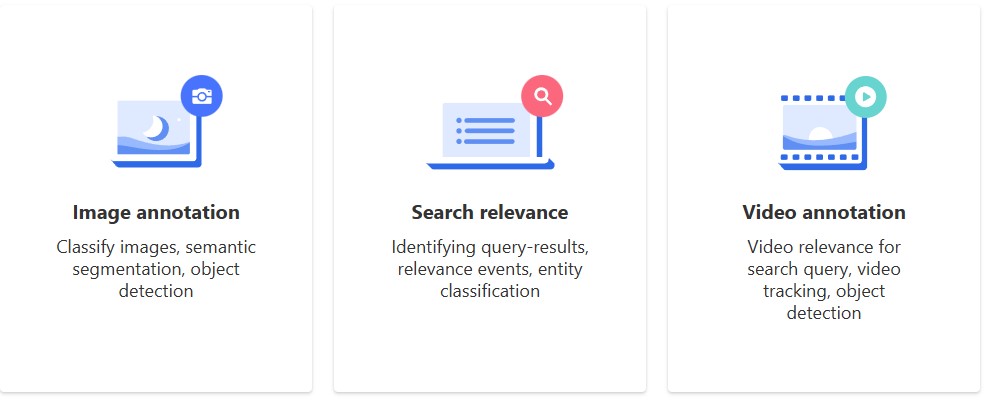
Clickworker plays a significant role in providing data for AI and machine learning. This involves tasks like annotating images, describing scenarios, or training chatbots. These assignments tend to pay well but are more specialized.
Tips for AI Training Tasks:
- Follow instructions carefully, as accuracy is crucial for these tasks.
- Complete qualification tests to unlock access to more advanced tasks.
5. UHRS (Universal Human Relevance System)
UHRS is an external platform integrated with Clickworker, offering specialized jobs like search engine evaluation and content moderation. These jobs typically pay better but require passing a qualification exam.
Tips for UHRS:
- Set aside time to practice and pass the qualification tests as they are not as simple as you might first think.
- Use UHRS as a consistent income source, as tasks are frequently available. Check the available tasks right after the high-paying surveys.
6. App Testing
Some tasks involve downloading, testing, and reviewing apps. These tasks not only pay for your time but may also reimburse you for purchases made during testing.
Tips for App Testing:
- Test apps only if you’re comfortable sharing feedback.
- Be mindful of apps that require payments, and read the reimbursement terms.

Payment Methods
Clickworker offers several payout options:
- PayPal: Weekly payments for tasks completed and approved.
- Payoneer: Available for non-EU residents.
- Direct Bank Transfer (SEPA): Bi-weekly payments for EU residents.
The minimum withdrawal amount is typically $10, though it may vary based on the payment method.
Tips for Maximizing Earnings on Clickworker
- Check Regularly: Tasks can appear and disappear quickly, so frequent checks are essential.
- Qualify for UHRS: Unlocking access to UHRS opens up higher-paying tasks.
- Use a Reliable Internet Connection: Many tasks require real-time data entry or submissions.
- Work During Peak Hours: Availability of tasks may be higher during specific time zones. You identify these by checking constantly and paying attention.
- Avoid Time-Consuming Tasks: Focus on quick, high-payout tasks to maximize efficiency. Also, these are usually limited in terms of how many people can do them.
FAQ: Common Questions About Clickworker
1. Is Clickworker Legit?
Yes, Clickworker is a legitimate platform that has been in operation for over a decade, providing real payouts to freelancers.
2. How Much Can You Earn on Clickworker?
Earnings vary widely, but most users earn between $5 and $15 per hour, depending on task availability and skills. UHRS tends to be a big part of the payment.
3. Is Clickworker Free to Join?
Yes, registration is free, and there are no upfront costs.
4. Can I Use Clickworker on Mobile?
Yes, Clickworker is accessible via a mobile app, and some tasks can only be completed on smartphones.
5. Do I Need Any Special Skills?
While many tasks are beginner-friendly, higher-paying jobs like UHRS or content writing may require specific skills or qualifications.
6. What is UHRS, and How Can I Access It?
UHRS (Universal Human Relevance System) is a platform for higher-paying tasks like search engine evaluation. Access is granted after passing specific qualification tests on Clickworker.
7. How Often Can I Withdraw My Earnings?
Payments are processed weekly or bi-weekly, depending on your chosen payout method.
8. Can I Work on Clickworker from Any Country?
Yes, Clickworker is available globally, but the availability of tasks may vary by region.
9. Are There Any Hidden Fees?
No hidden fees are associated with Clickworker itself. However, some external offers may involve costs, so read the terms carefully.
10. What Happens If I Submit Poor-Quality Work?
Tasks that fail quality checks may be rejected, and repeated issues could impact your account standing. Always aim for accuracy and follow instructions.
Conclusion: Is Clickworker Worth It?
Clickworker is an excellent option for individuals seeking flexible, remote work opportunities to earn supplemental income. While it may not provide a stable or substantial income, the variety of tasks and global accessibility make it a viable platform for freelancers. By focusing on high-paying tasks, qualifying for UHRS, and working consistently, you can maximize your earnings and make the most of your experience on Clickworker.
Learn more or sign up for Clickworker HERE!
Discover more from Adrian Cruce's Blog
Subscribe to get the latest posts sent to your email.
 Adrian Cruce's Blog